 codegino
TL;DR
Check the demo here
Check the source code here
Introduction
Internationalization, or i18n for short, is the process of designing and developing software applications that can be adapted to different languages and cultures. It is an important consideration for any application that is intended for a global audience. Next.js is a popular framework for building web applications that simplifies the process of implementing i18n. In this article, we will explore how to handle i18n in Next.js using the app directory and the i18next library. We will also cover some of the key translation functions and techniques that you can use to make your application more accessible to users around the world.
With the introduction of app directory, my previous i18n blog is not applicable anymore since next-i18next is not necessary.
Installation
The easiest way to follow this guide is to degit a Nextjs boilerplate.
1npx degit codegino/nextjs-ts-tw-tldr next13-i18nI will be using TailwindCSS and TypeScript due to personal preference, but you can use plain CSS and JavaScript if you want.
Install dependencies
1npm iRemove unused files
Delete everything under the app and components folders
1rm -rf app/* components/*Project Structure
Our i18n strategy
In this blog post, we will use a path-based strategy to determine the locale of our web application. Implementing this strategy in Next.js is easy because the framework follows a convention for creating paths. We will create a [locale] folder and place all our pages inside it. This means our folder structure should look like this:
app └── [locale] ├── page.tsx └── about └── page.tsxSince we're utilizing a path-based i18n approach, we can effortlessly obtain the locale from the params object that our page will receive.
Create our home page to display the locale
1const IndexPage = ({params: {locale}}) => (2  <div>3    <h1>Hello world: {locale}</h1>4  </div>5);6
7export default IndexPage;
Create another page to test navigation
1const AboutPage = ({params: {locale}}) => (2  <div>3    <h1>About page: {locale}</h1>4  </div>5);6
7export default AboutPage;
NextJS has a feature that automatically creates a layout component if we don't provide one. However, I prefer to create my own layout component because I need to basic customization.
1import '../styles/tailwind.css';2
3export const metadata = {4  title: 'Next.js i18n',5};6
7export default function RootLayout({children}) {8  return (9    <html lang="en">10      <body className="p-3">{children}</body>11    </html>12  );13}
Testing our pages
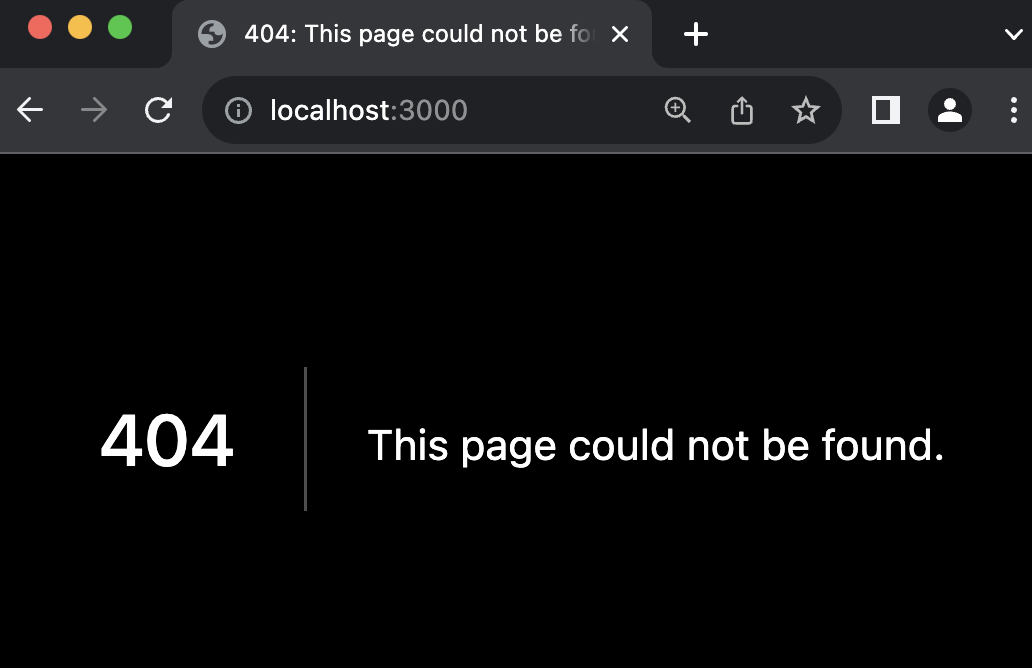
We'll get a 404 page if we try to access the root URL because every page is now under the [locale] folder. We'll handle this later.
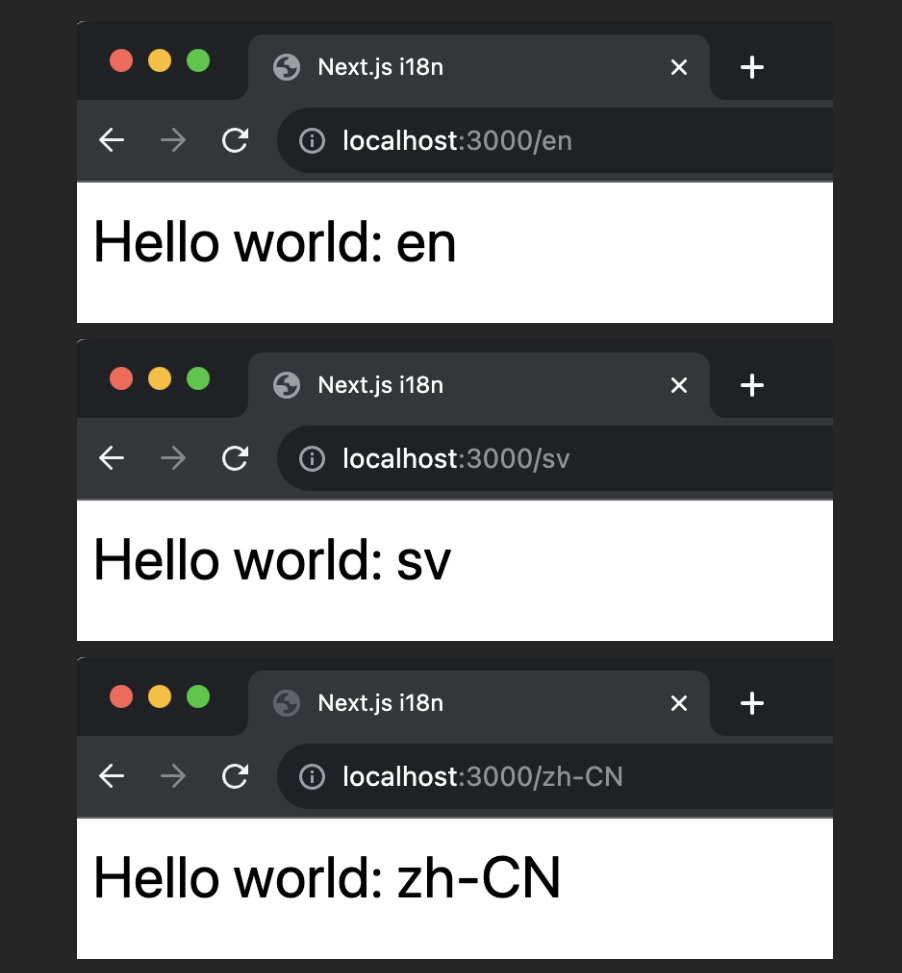
To see our page, we need to add the "locale" of our choice to the URL. For example, if we want to see the English version of our page, we need to add /en to the URL.
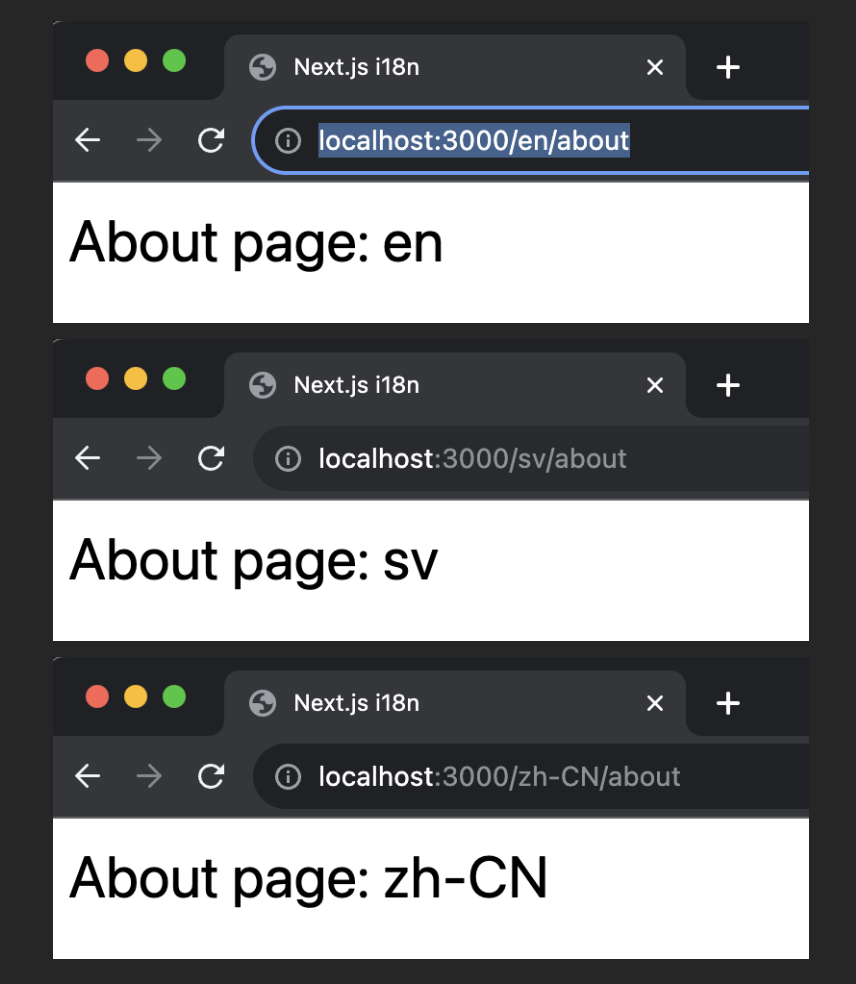
Locale switcher and navigation links
To simplify our demo, we'll create a component that will handle the locale switcher and navigation links.
Implement a new layout component to manage the organization of page content
We can put everything in the root layout if you prefer.
1import React from 'react';2import Header from '../../components/Header';3
4const Layout = ({children}) => {5  return (6    <>7      <Header />8      {children}9    </>10  );11};12
13export default Layout;
Create the Header component
This component will include the reusable navigation and locale switcher component
1'use client';2
3import {usePathname, useParams} from 'next/navigation';4import Link from 'next/link';5import ChangeLocale from './ChangeLocale';6
7const Header = () => {8  const pathName = usePathname();9  const locale = useParams()?.locale;10
11  return (12    <header>13      <nav className="flex gap-2 mb-2">14        <Link15          href={`/${locale}`}16          className={pathName === `/${locale}` ? 'text-blue-700' : ''}17        >18          Home19        </Link>20        <Link21          href={`/${locale}/about`}22          className={pathName === `/${locale}/about` ? 'text-blue-700' : ''}23        >24          About25        </Link>26      </nav>27      <ChangeLocale />28    </header>29  );30};31
32export default Header;
Create the locale switcher component
1'use client';2
3import React from 'react';4import {useRouter, useParams, useSelectedLayoutSegments} from 'next/navigation';5
6const ChangeLocale = () => {7  const router = useRouter();8  const params = useParams();9  const urlSegments = useSelectedLayoutSegments();10
11  const handleLocaleChange = event => {12    const newLocale = event.target.value;13
14    // This is used by the Header component which is used in `app/[locale]/layout.tsx` file,15    // urlSegments will contain the segments after the locale.16    // We replace the URL with the new locale and the rest of the segments.17    router.push(`/${newLocale}/${urlSegments.join('/')}`);18  };19
20  return (21    <div>22      <select onChange={handleLocaleChange} value={params.locale}>23        <option value="en">🇺🇸 English</option>24        <option value="zh-CN">🇨🇳 中文</option>25        <option value="sv">🇸🇪 Swedish</option>26      </select>27    </div>28  );29};30
31export default ChangeLocale;
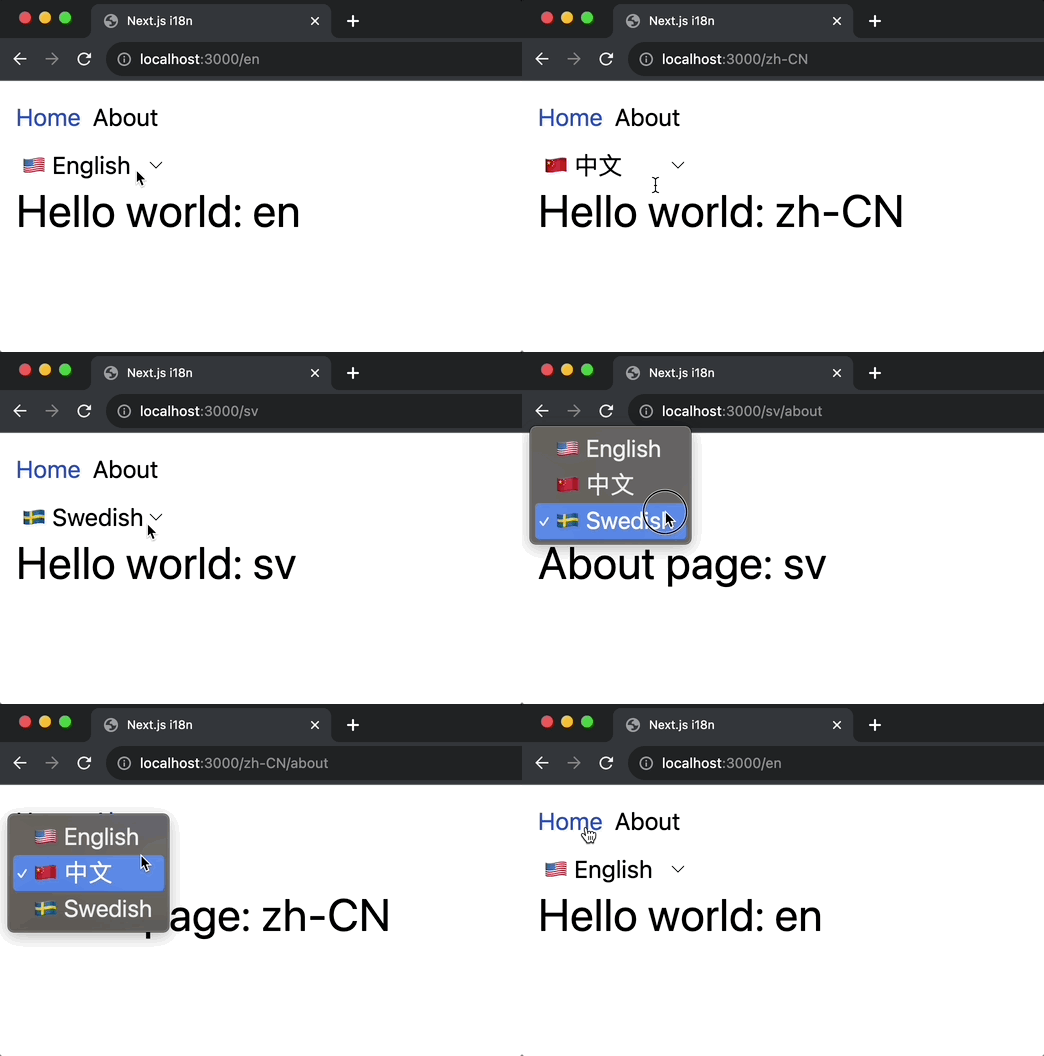
Now it's easier to test around what language and page we want to see.
Actual translation
We're done with the project setup. It's time to actually do some internationalization
Create translation files
Unless our users use translation plugins like Google Translate, there is no way for our content to be magically translated. Therefore, we need to determine how our pages will be translated based on the user's locale.
Here is what our translation files' structure will look like.
i18n└── locales ├── en │ ├── about.json │ └── home.json ├── zh-CN │ ├── about.json │ └── home.json └── sv ├── about.json └── home.jsonNOTE: It does not matter where you put the translation files as long as you can import them correctly.
English translations
1{2 "greeting": "Hello world!"3}1{2 "aboutThisPage": "This is the About page"3}Chinese translations
1{2 "greeting": "世界您好"3}1{2 "aboutThisPage": "这是关于页面"3}Swedish translation
1{2 "greeting": "Hej världen!"3}1{2 "aboutThisPage": "Det här är sidan Om"3}Install required dependencies
There are various libraries available for handling translations, but I find libraries from i18next very easy to use.
1npm install i18next react-i18next i18next-resources-to-backendi18next-resources-to-backend is a very small utility, so you can just copy the implementation if you don't want an additional dependency.
Create a reusable settings file
Let's create a utility file for both the server and the client-side translations
1import type {InitOptions} from 'i18next';2
3export const fallbackLng = 'en';4export const locales = [fallbackLng, 'zh-CN', 'sv'] as const;5export type LocaleTypes = (typeof locales)[number];6export const defaultNS = 'common';7
8export function getOptions(lang = fallbackLng, ns = defaultNS): InitOptions {9  return {10    // debug: true, // Set to true to see console logs11    supportedLngs: locales,12    fallbackLng,13    lng: lang,14    fallbackNS: defaultNS,15    defaultNS,16    ns,17  };18}
To learn more about the options, check out the i18next documentation.
Server Components translation
Create a utility for translations happening in the server/backend
1import {createInstance} from 'i18next';2import resourcesToBackend from 'i18next-resources-to-backend';3import {initReactI18next} from 'react-i18next/initReactI18next';4import {getOptions, LocaleTypes} from './settings';5
6// Initialize the i18n instance7const initI18next = async (lang: LocaleTypes, ns: string) => {8  const i18nInstance = createInstance();9  await i18nInstance10    .use(initReactI18next)11    .use(12      resourcesToBackend(13        (language: string, namespace: typeof ns) =>14          // load the translation file depending on the language and namespace15          import(`./locales/${language}/${namespace}.json`),16      ),17    )18    .init(getOptions(lang, ns));19
20  return i18nInstance;21};22
23// It will accept the locale and namespace for i18next to know what file to load24export async function createTranslation(lang: LocaleTypes, ns: string) {25  const i18nextInstance = await initI18next(lang, ns);26
27  return {28    // This is the translation function we'll use in our components29    // e.g. t('greeting')30    t: i18nextInstance.getFixedT(lang, Array.isArray(ns) ? ns[0] : ns),31  };32}
Translate the Home page
1import {createTranslation} from '../../i18n/server';2
3// This should be async cause we need to use `await` for createTranslation4const IndexPage = async ({params: {locale}}) => {5  // Make sure to use the correct namespace here.6  const {t} = await createTranslation(locale, 'home');7
8  return (9    <div>10      <h1>{t('greeting')}</h1>11    </div>12  );13};14
15export default IndexPage;
Translate the About page
1import {createTranslation} from '../../../i18n/server';2
3// This should be async cause we need to use `await` for createTranslation4const AboutPage = async ({params: {locale}}) => {5  // Make sure to use the correct namespace here.6  const {t} = await createTranslation(locale, 'about');7
8  return (9    <div>10      <h1>{t('aboutThisPage')}</h1>11    </div>12  );13};14
15export default AboutPage;
With the codes above, we can now see the content translated.
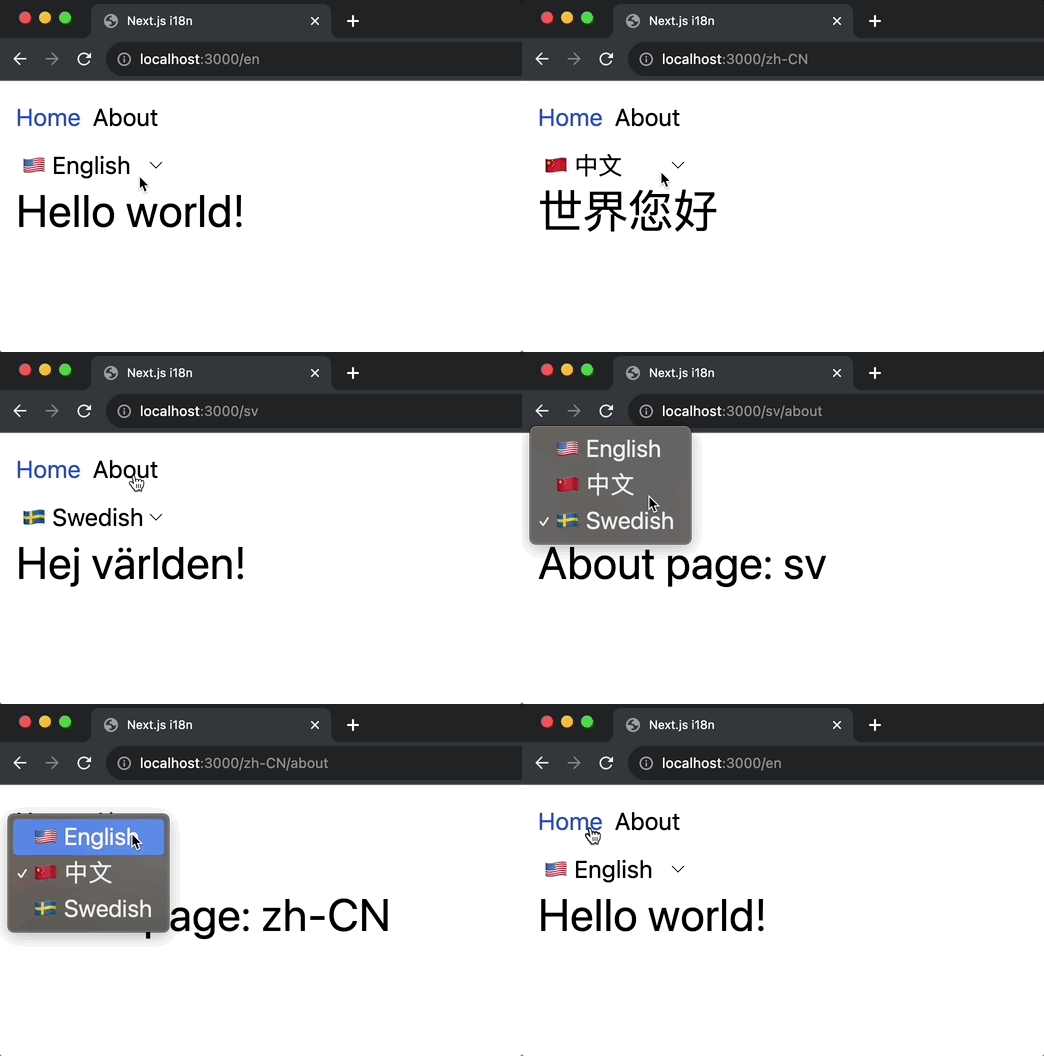
Client-side translation
One issue in the previous example is that the links in the header do not update accordingly to the selected language.
Create a reusable hook to use for translations
Install i18next-browser-languagedetector to simplify language detection in the frontend
1npm install i18next-browser-languagedetectorThe code below might be lengthy because we need to support both server rendering and client rendering. Don't confuse SSR with Server Component rendering.
1'use client';2
3import {useEffect} from 'react';4import i18next, {i18n} from 'i18next';5import {initReactI18next, useTranslation as useTransAlias} from 'react-i18next';6import resourcesToBackend from 'i18next-resources-to-backend';7import LanguageDetector from 'i18next-browser-languagedetector';8import {type LocaleTypes, getOptions, locales} from './settings';9
10const runsOnServerSide = typeof window === 'undefined';11
12// Initialize i18next for the client side13i18next14  .use(initReactI18next)15  .use(LanguageDetector)16  .use(17    resourcesToBackend(18      (language: LocaleTypes, namespace: string) =>19        import(`./locales/${language}/${namespace}.json`),20    ),21  )22  .init({23    ...getOptions(),24    lng: undefined, // detect the language on the client25    detection: {26      order: ['path'],27    },28    preload: runsOnServerSide ? locales : [],29  });30
31export function useTranslation(lng: LocaleTypes, ns: string) {32  const translator = useTransAlias(ns);33  const {i18n} = translator;34
35  // Run when content is rendered on server side36  if (runsOnServerSide && lng && i18n.resolvedLanguage !== lng) {37    i18n.changeLanguage(lng);38  } else {39    // Use our custom implementation when running on client side40    // eslint-disable-next-line react-hooks/rules-of-hooks41    useCustomTranslationImplem(i18n, lng);42  }43  return translator;44}45
46function useCustomTranslationImplem(i18n: i18n, lng: LocaleTypes) {47  // This effect changes the language of the application when the lng prop changes.48  useEffect(() => {49    if (!lng || i18n.resolvedLanguage === lng) return;50    i18n.changeLanguage(lng);51  }, [lng, i18n]);52}
Create the translations for the navigation links
We'll put the translations in the common namespace as they are shared common pages.
1{2 "home": "Home",3 "about": "About"4}1{2 "home": "主页",3 "about": "关于页面"4}1{2 "home": "Hem",3 "about": "Om"4}Translate the Header component
1'use client';2import {usePathname, useParams} from 'next/navigation';3import Link from 'next/link';4import ChangeLocale from './ChangeLocale';5import {useTranslation} from '../i18n/client';6import type {LocaleTypes} from '../i18n/settings';7
8const Header = () => {9  const pathName = usePathname();10  const locale = useParams()?.locale as LocaleTypes;11  const {t} = useTranslation(locale, 'common');12
13  return (14    <header>15      <nav className="flex gap-2 mb-2">16        <Link17          href={`/${locale}`}18          className={pathName === `/${locale}` ? 'text-blue-700' : ''}19        >20          {t('home')}21        </Link>22        <Link23          href={`/${locale}/about`}24          className={pathName === `/${locale}/about` ? 'text-blue-700' : ''}25        >26          {t('about')}27        </Link>28      </nav>29      <ChangeLocale />30    </header>31  );32};33
34export default Header;
Now the links will update accordingly to the selected language
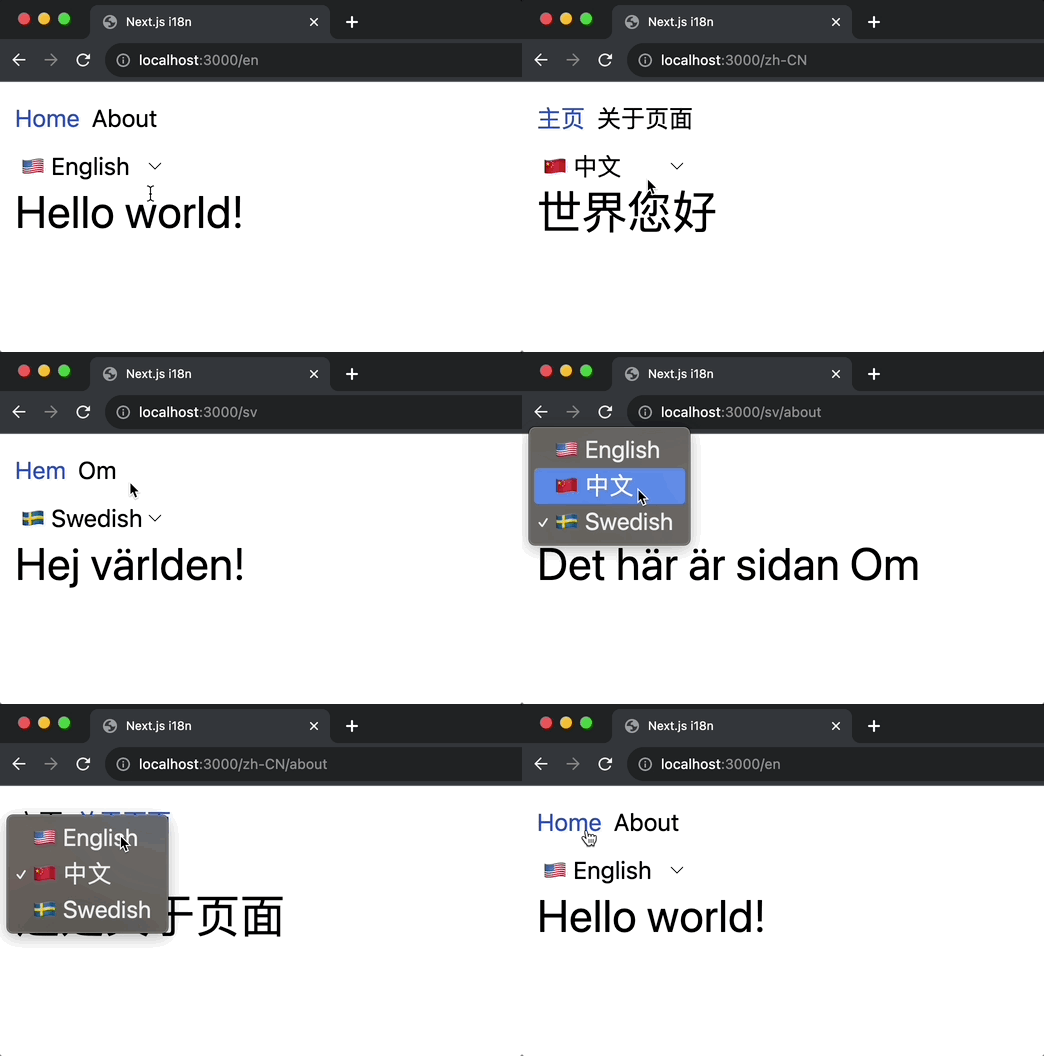
Handle default locale
This may vary based on the user's requirements, but I prefer not to include the default locale in the URL. I want localhost:3000 to be equivalent to localhost:3000/en, and when I visit localhost:3000/en, I want the /en in the URL to be automatically removed.
To achieve this, we need to do some URL rewriting and redirecting.
1import {NextResponse, NextRequest} from 'next/server';2import {fallbackLng, locales} from './i18n/settings';3
4export function middleware(request: NextRequest) {5  // Check if there is any supported locale in the pathname6  const pathname = request.nextUrl.pathname;7
8  // Check if the default locale is in the pathname9  if (10    pathname.startsWith(`/${fallbackLng}/`) ||11    pathname === `/${fallbackLng}`12  ) {13    // e.g. incoming request is /en/about14    // The new URL is now /about15    return NextResponse.redirect(16      new URL(17        pathname.replace(18          `/${fallbackLng}`,19          pathname === `/${fallbackLng}` ? '/' : '',20        ),21        request.url,22      ),23    );24  }25
26  const pathnameIsMissingLocale = locales.every(27    locale => !pathname.startsWith(`/${locale}/`) && pathname !== `/${locale}`,28  );29
30  if (pathnameIsMissingLocale) {31    // We are on the default locale32    // Rewrite so Next.js understands33
34    // e.g. incoming request is /about35    // Tell Next.js it should pretend it's /en/about36    return NextResponse.rewrite(37      new URL(`/${fallbackLng}${pathname}`, request.url),38    );39  }40}41
42export const config = {43  // Do not run the middleware on the following paths44  matcher:45    '/((?!api|_next/static|_next/image|manifest.json|assets|favicon.ico).*)',46};
NextJS is truly magical in making things just work
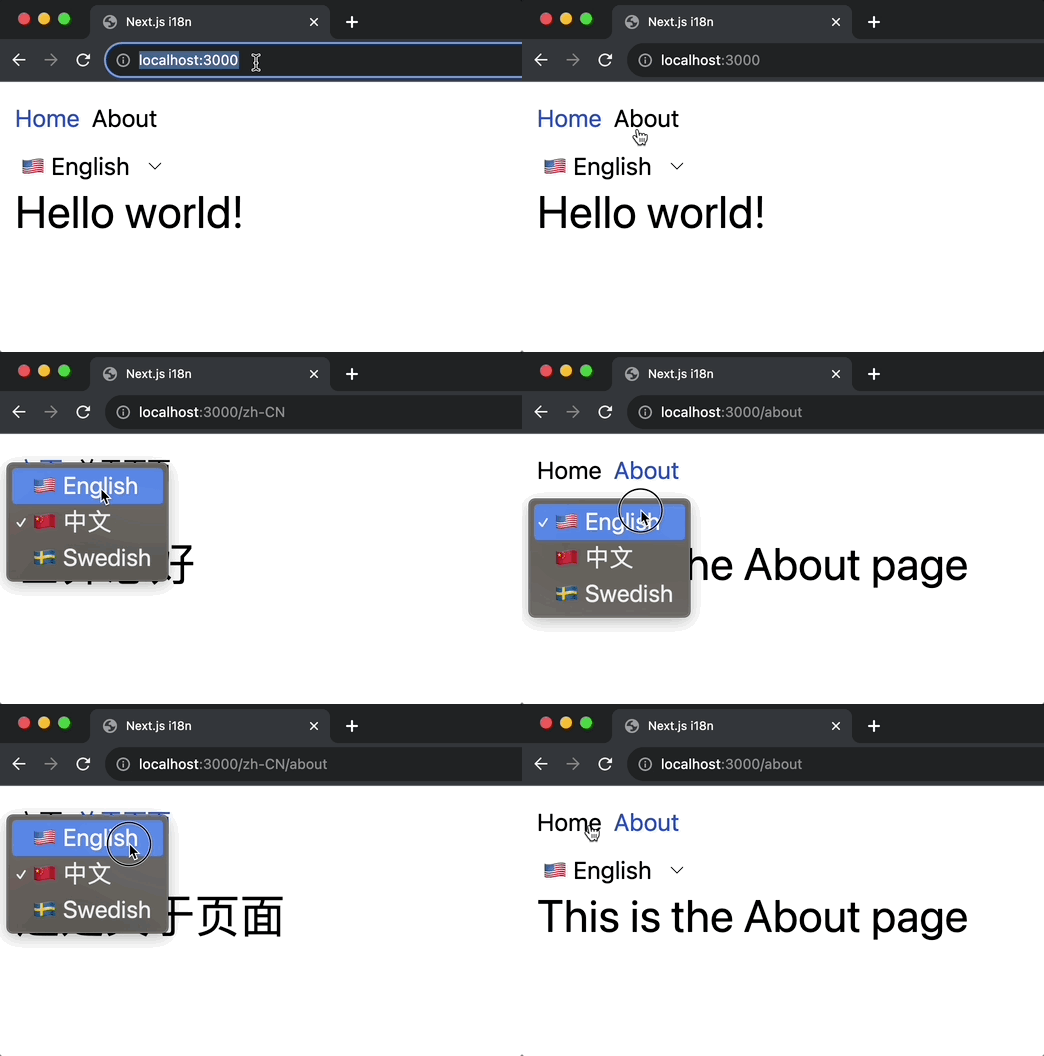
Bonus
Nested translation keys and default translation
We are not limited to a flat JSON structure.
1{2 "title": "Stay up to date",3 "subtitle": "Subscribe to my newsletter",4 "form": {5 "firstName": "First name",6 "email": "E-mail",7 "action": {8 "signUp": "Sign Up",9 "cancel": "Cancel"10 }11 }12}We can omit some translation keys if we want it to use the default locale value(en in our case).
1{2 "title": "保持最新状态",3 "form": {4 "email": "电子邮箱",5 "action": {6 "cancel": "取消"7 }8 }9}1{2 "title": "Håll dig uppdaterad",3 "subtitle": "Prenumerera på mitt nyhetsbrev",4 "form": {5 "firstName": "Förnamn",6 "email": "E-post",7 "action": {8 "signUp": "Registrera sig",9 "cancel": "Annullera"10 }11 }12}Create the component
Let's create a component that uses the translations above. We'll make this a server component to demonstrate one way of passing the locale.
1import React from 'react';2import {createTranslation} from '../i18n/server';3
4// pass the locale as a prop5const SubscribeForm = async ({locale}) => {6  const {t} = await createTranslation(locale, 'newsletter');7
8  return (9    <section className="w-[350px]">10      <h3>{t('title')}</h3>11      <h4>{t('subtitle')}</h4>12
13      <form className="flex flex-col items-start">14        <input placeholder={t('form.firstName')} className="form-field" />15        <input placeholder={t('form.email')} className="form-field" />16        <button className="form-field">{t('form.action.signUp')}</button>17        <button className="form-field">{t('form.action.cancel')}</button>18      </form>19    </section>20  );21};22
23export default SubscribeForm;
(OPTIONAL) Add styles to form fields
1// ...2
3.form-field {4  @apply border mb-1 p-1 w-full;5}
Render the form on the home page
1import SubscribeForm from '../../components/SubscribeForm';2import {createTranslation} from '../../i18n/server';3
4const IndexPage = async ({params: {locale}}) => {5  // Make sure to use the correct namespace here.6  const {t} = await createTranslation(locale, 'home');7
8  return (9    <div>10      <h1>{t('greeting')}</h1>11      <hr className="my-4" />12      <SubscribeForm locale={locale} />13    </div>14  );15};16
17export default IndexPage;
And now, we have this!
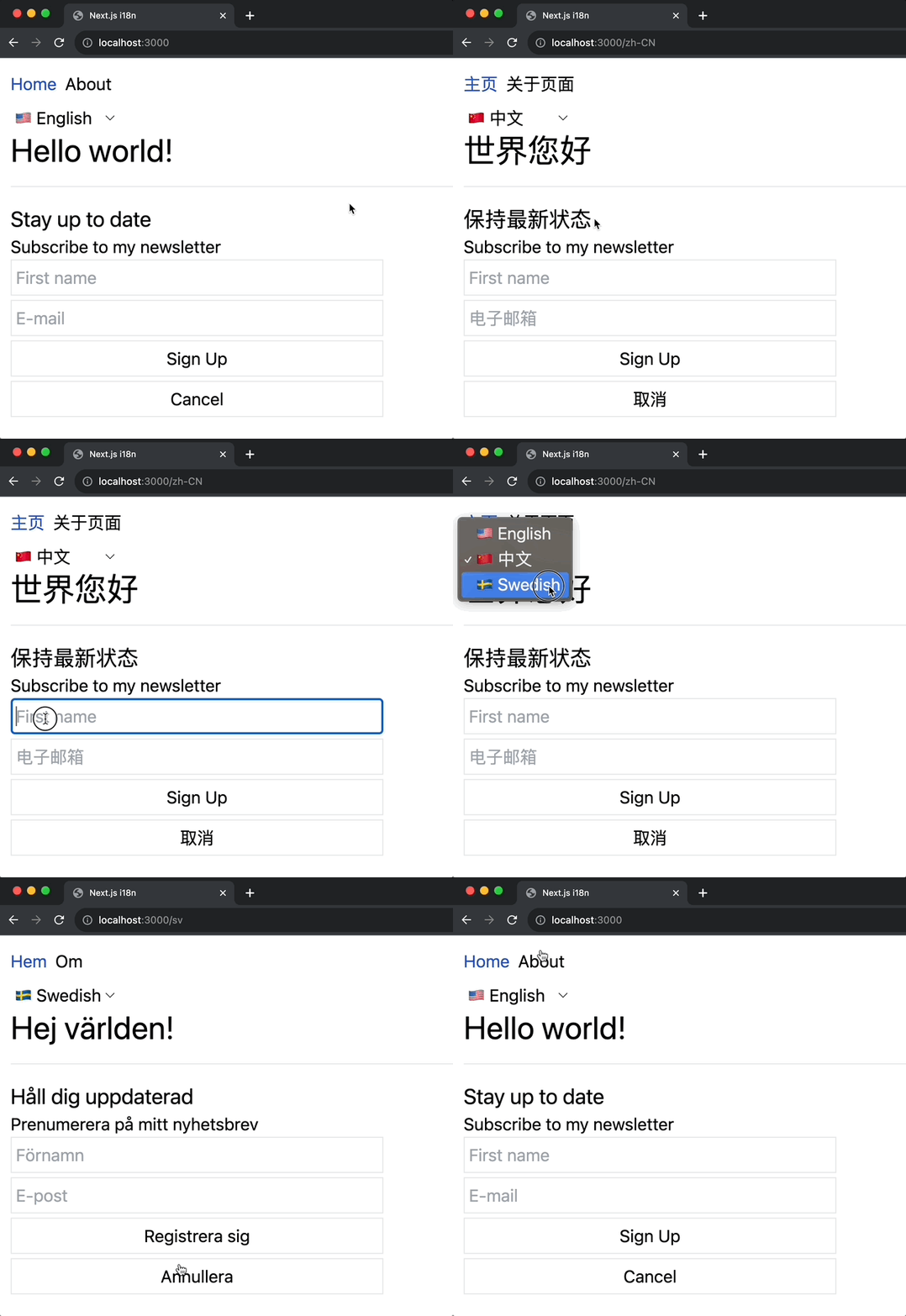
Built-in Formatting
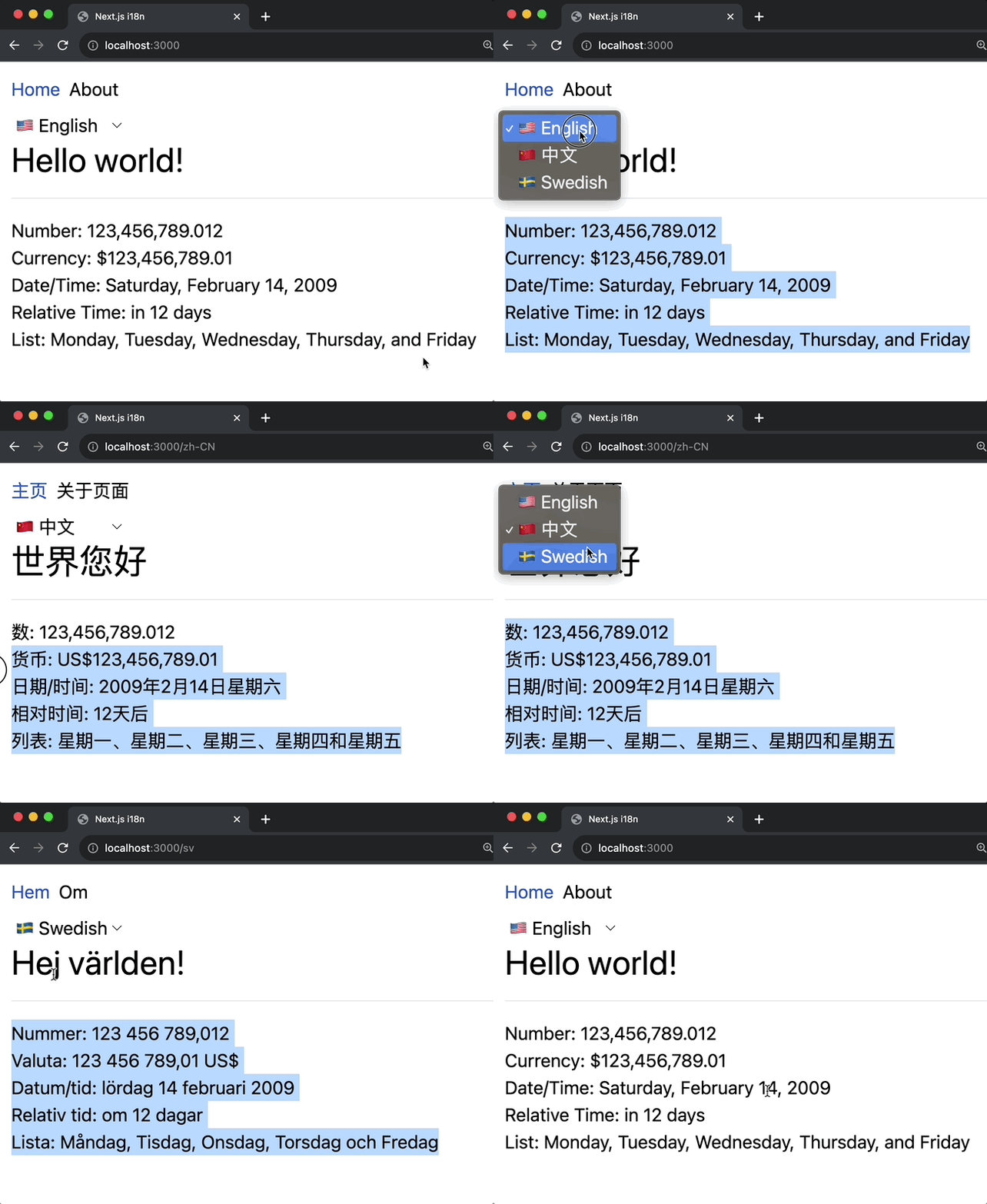
It is very easy to format most of our data since i18next comes with a lot of utilities we can use.
Let's use the translation files below to showcase the formatting features.
1{2 "number": "Number: {{val, number}}",3 "currency": "Currency: {{val, currency}}",4 "dateTime": "Date/Time: {{val, datetime}}",5 "relativeTime": "Relative Time: {{val, relativetime}}",6 "list": "List: {{val, list}}",7 "weekdays": ["Monday", "Tuesday", "Wednesday", "Thursday", "Friday"]8}1{2 "number": "数: {{val, number}}",3 "currency": "货币: {{val, currency}}",4 "dateTime": "日期/时间: {{val, datetime}}",5 "relativeTime": "相对时间: {{val, relativetime}}",6 "list": "列表: {{val, list}}",7 "weekdays": ["星期一", "星期二", "星期三", "星期四", "星期五"]8}1{2 "number": "Nummer: {{val, number}}",3 "currency": "Valuta: {{val, currency}}",4 "dateTime": "Datum/tid: {{val, datetime}}",5 "relativeTime": "Relativ tid: {{val, relativetime}}",6 "list": "Lista: {{val, list}}",7 "weekdays": ["Måndag", "Tisdag", "Onsdag", "Torsdag", "Fredag"]8}Create the component
Let's create a component that will use the previous translations. We'll make it a client component just for fun.
1'use client';2import React from 'react';3import {useTranslation} from '../i18n/client';4import type {LocaleTypes} from '../i18n/settings';5import {useParams} from 'next/navigation';6
7const BuiltInFormatsDemo = () => {8  let locale = useParams()?.locale as LocaleTypes;9
10  const {t} = useTranslation(locale, 'built-in-demo');11
12  return (13    <div>14      <p>15        {/* "number": "Number: {{val, number}}", */}16        {t('number', {17          val: 123456789.0123,18        })}19      </p>20      <p>21        {/* "currency": "Currency: {{val, currency}}", */}22        {t('currency', {23          val: 123456789.0123,24          style: 'currency',25          currency: 'USD',26        })}27      </p>28
29      <p>30        {/* "dateTime": "Date/Time: {{val, datetime}}", */}31        {t('dateTime', {32          val: new Date(1234567890123),33          formatParams: {34            val: {35              weekday: 'long',36              year: 'numeric',37              month: 'long',38              day: 'numeric',39            },40          },41        })}42      </p>43
44      <p>45        {/* "relativeTime": "Relative Time: {{val, relativetime}}", */}46        {t('relativeTime', {47          val: 12,48          style: 'long',49        })}50      </p>51
52      <p>53        {/* "list": "List: {{val, list}}", */}54        {t('list', {55          // https://www.i18next.com/translation-function/objects-and-arrays#objects56          // Check the link for more details on `returnObjects`57          val: t('weekdays', {returnObjects: true}),58        })}59      </p>60    </div>61  );62};63
64export default BuiltInFormatsDemo;
Don't forget to render the component on the home page.
1import BuiltInFormatsDemo from '../../components/BuiltInFormatsDemo';2import {createTranslation} from '../../i18n/server';3
4const IndexPage = async ({params: {locale}}) => {5  // Make sure to use the correct namespace here.6  const {t} = await createTranslation(locale, 'home');7
8  return (9    <div>10      <h1>{t('greeting')}</h1>11      <hr className="my-4" />12      <BuiltInFormatsDemo />13    </div>14  );15};16
17export default IndexPage;
The more you look, the more you'll be amazed
Other translation functions to check
Conclusion
Internationalization is a complex requirement simplified in Nextjs due to the way applications are built using the framework. With the introduction of app directory, we need a different approach to handle i18n. Because of i18next it makes the task even simpler.